A Year with Cursor: How My Workflow Evolved from Agent to Architect
It’s been over a year since I made Cursor my primary IDE, and it’s hard to overstate the impact it’s had on my work. As a machine learning engineer building conversational AI platforms at Dylog and experimenting with agentic infrastructure on my personal projects, I’ve lived through the evolution of AI-native development. My journey with Cursor mirrors the maturation of the tool itself: from a simple agent to a sophisticated architectural partner.
This post is a reflection on that journey, detailing how my workflow evolved and how I’ve come to rely on a powerful combination of Plan Mode, custom commands, and context engineering to build faster, smarter, and with more clarity.
Phase 1: The Agent Takes the Wheel
When I first started, my usage was simple. I treated Cursor like a supercharged autocomplete. I’d write a comment, hit Cmd+K, and let the agent generate the code. It was magical, but it was also a black box. I was a passenger, and the agent was driving.
Then came the @ mentions. This was my first taste of giving the agent real context. Instead of hoping it understood my codebase, I could explicitly tell it what to look at:
@fileto reference a specific file@folderto include an entire directory@codebaseto let it search across the whole project@webto pull in external documentation@docsto reference official docs for libraries
This was a huge leap. Suddenly, the agent wasn’t guessing; it was working with the same context I had. I could say “refactor this function to match the pattern in @file:utils/helpers.ts” and it would actually understand.
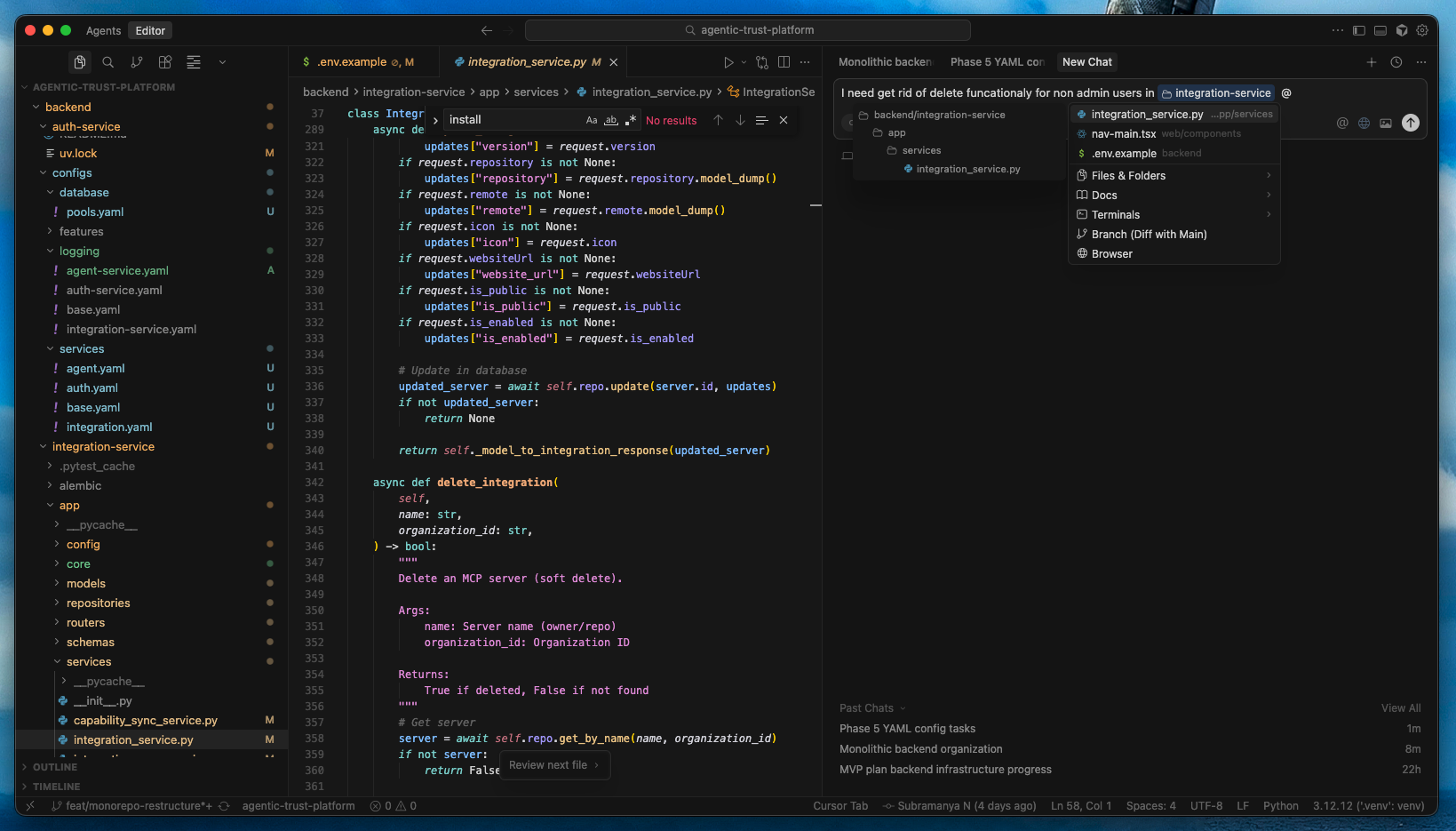 The @ mention dropdown in Cursor, showing context options like @file, @folder, @codebase, @web, and @docs that allow explicit context control
But even with better context, I’d often find myself in a loop of generating, debugging, and regenerating. The agent lacked the architectural vision for larger tasks.
Phase 2: MCP Changes Everything
The introduction of Model Context Protocol (MCP) was when things got serious. MCP allowed me to connect Cursor to external tools and data sources, turning the agent from a code generator into a true assistant with access to my entire workflow.
I started integrating MCPs for:
- GitHub for pulling issues and PRs directly into context
- Linear for task management integration
- Slack for team communication context
- Custom MCPs for internal APIs and databases
With MCP, I could say “implement the feature described in Linear issue #234” and the agent would fetch the issue, understand the requirements, and start building. It was no longer just about code; it was about connecting the dots across my entire development ecosystem.
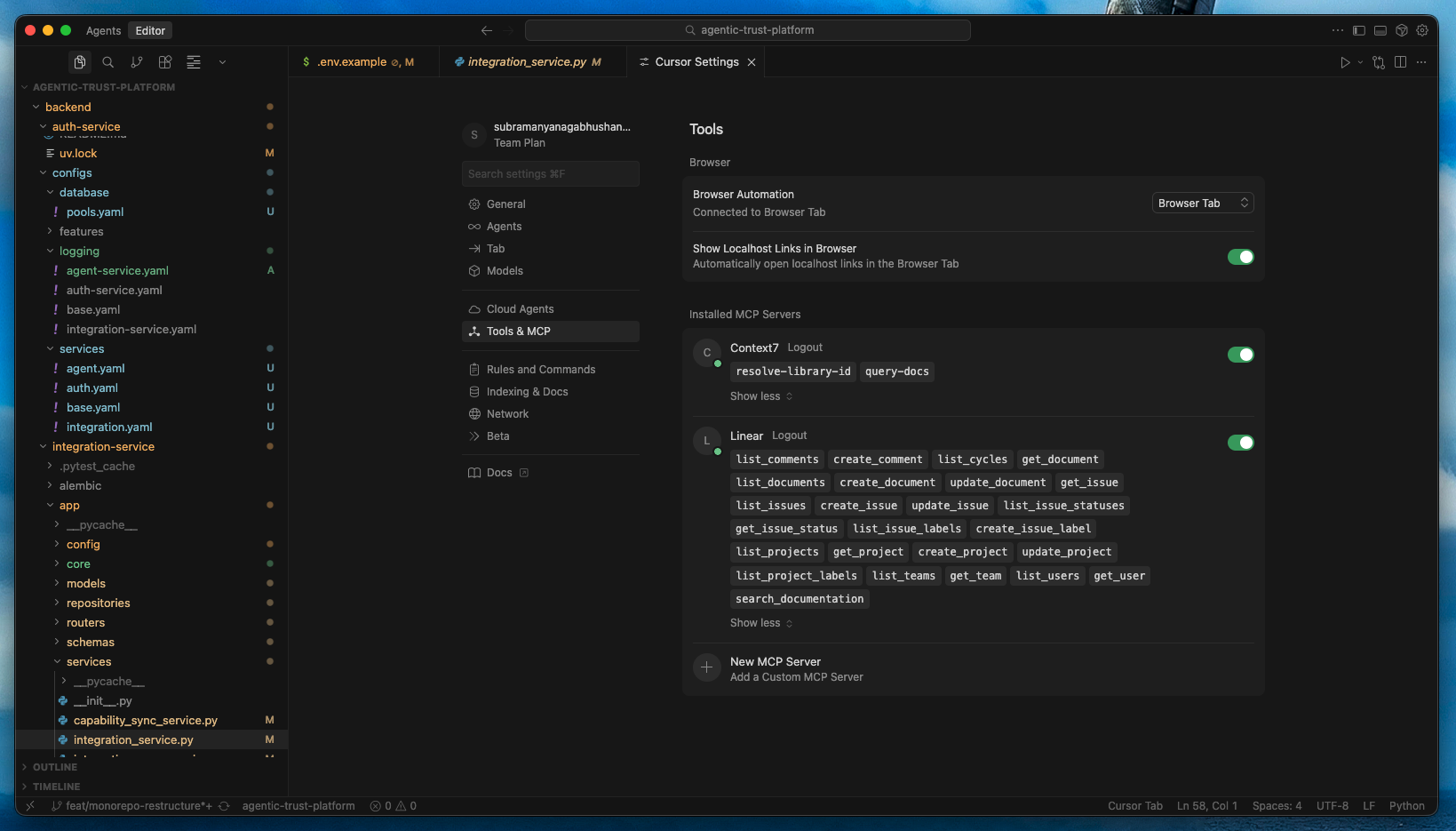 MCP configuration panel showing connected integrations like GitHub, Linear, Slack, and custom servers that extend Cursor’s capabilities across the development ecosystem
Phase 3: The Rise of the Planner
The introduction of Plan Mode was the next game-changer. It was the first time I felt like I was collaborating with the AI, not just delegating to it. Inspired by workflows from developers like Ray Fernando, I started using a two-step process:
-
Plan with Opus: I’d use a powerful model like Claude Opus to generate a detailed, step-by-step implementation plan. I’d give it the high-level goal, and it would break it down into a series of concrete tasks, complete with file names, function signatures, and logic.
-
Execute with Sonnet/GPT: I’d then hand that plan to a faster, cheaper model like Sonnet or GPT-5.2 to execute each step. The cheaper model didn’t need to be a brilliant architect; it just needed to be a diligent builder.
This workflow was a massive improvement. It separated the “what” from the “how,” and it gave me a reviewable artifact—the plan—that I could edit and approve before any code was written. It also saved a ton of money on tokens.
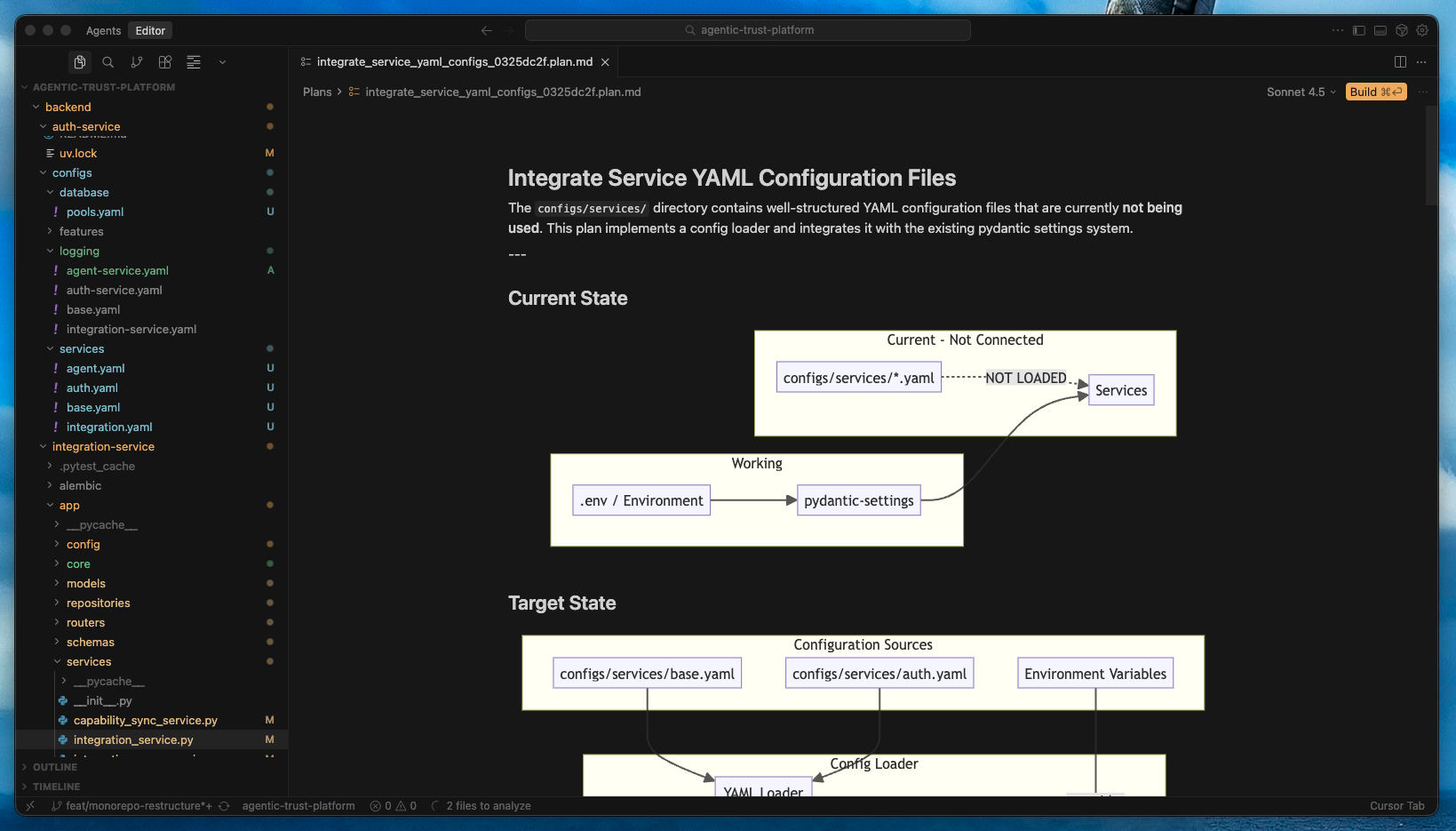 A split view showing a detailed implementation plan in a
 .cursor/plans/ file on the left, and the corresponding generated code on the right, demonstrating the separation of architecture from execution
Phase 4: The Architect Emerges (Commands + Planning)
This is where I live today. While Plan Mode is still central to my workflow, I’ve layered on a set of custom commands and rules to fine-tune the process and bake my architectural principles directly into the IDE.
My Current Setup
Rules (.cursorrules): I have a set of rules that define my coding standards, preferred patterns, and architectural constraints. The agent reads these before every task, ensuring consistency across the codebase.
Custom Commands: I’ve built commands that wrap my most common workflows:
/plan- Generates a detailed implementation plan using Opus/refactor- Takes a file and refactors it based on instructions/test- Generates a test suite for a given function/review- Reviews code against my rules and suggests improvements
Queued Messages: I use Ctrl+Enter to queue follow-up instructions while the agent is working. This lets me think ahead and keep the momentum going without interrupting the current task.
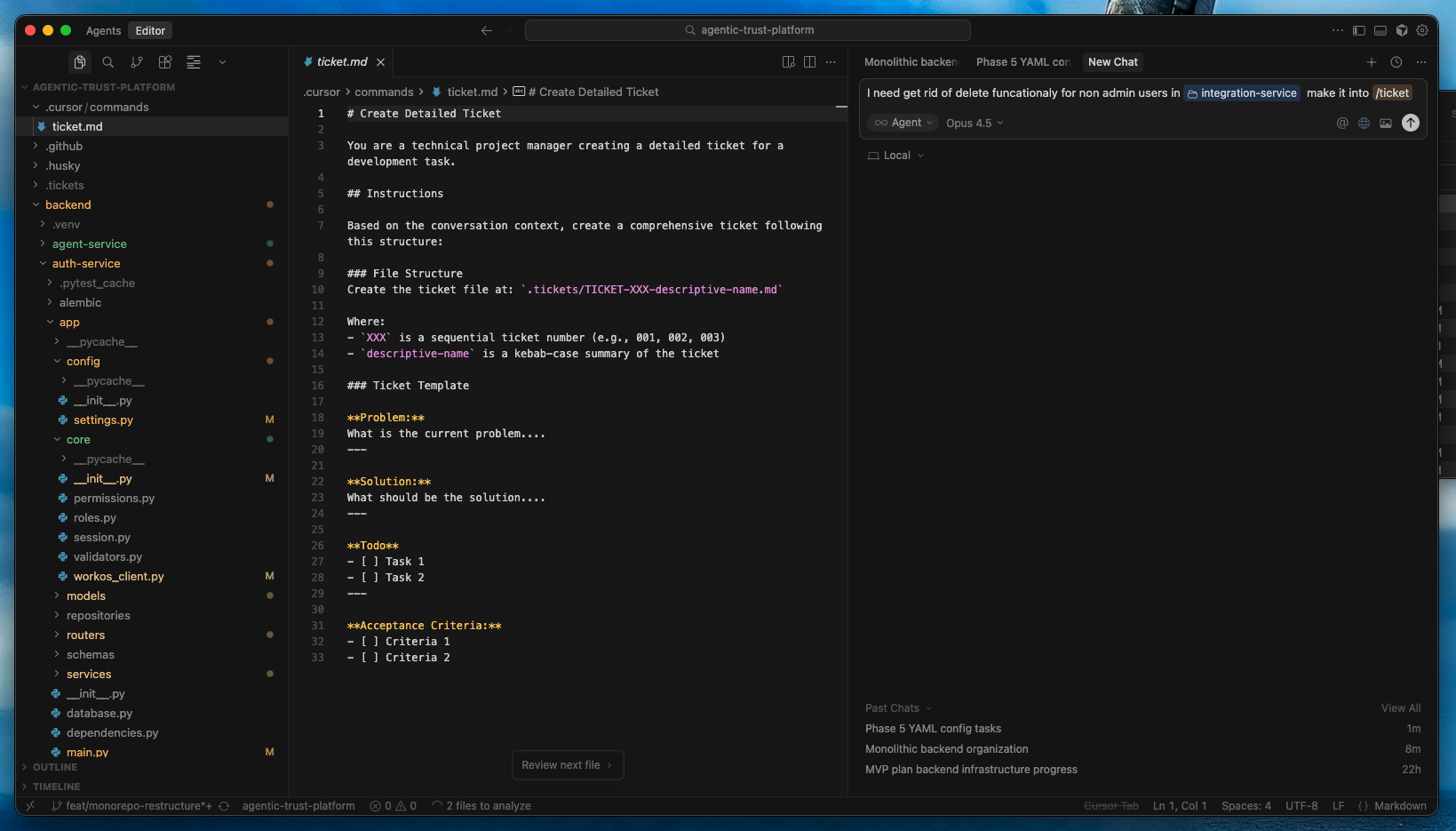 The Cursor command palette showing custom commands like /plan, /refactor, /test, and /review, alongside a
 .cursorrules file that defines coding standards and architectural constraints
The Evolution at a Glance
| Phase | Key Feature | What Changed |
|---|---|---|
| 1 | Agent Mode + @ Mentions | Context became explicit, not guessed |
| 2 | MCP Integration | External tools and data became accessible |
| 3 | Plan Mode | Architecture separated from execution |
| 4 | Commands + Rules | Workflows became repeatable and personalized |
Why This Matters
This evolution from agent to architect is more than just a personal productivity hack. It’s a glimpse into the future of software development. We’re moving from a world where we write code to a world where we describe systems. Our job is to be the architect, to define the blueprint, and to let the agents do the building.
Cursor, more than any other tool I’ve used, understands this shift. It’s not just about generating code; it’s about managing complexity, maintaining context, and giving developers the leverage to build at a scale that was previously unimaginable.
If you’re still using AI as a simple code generator, I encourage you to explore @ mentions, MCP, Plan Mode, and custom commands. It’s a journey that will transform you from a developer who uses AI to an architect who directs it.